Latent

Press a wedge. Every store carries a mark.

The Mac cleaner for AI developers

Models ate
your disk.

Cache cleaners free a few gigabytes that come right back, and disk maps only tell you which folder is big. Latent recognizes the parts inside each tool, like Ollama models, Xcode device symbols and simulator runtimes, and clears the ones you pick.

Download for macOSmacOS 14 or later

↓ See how it works

Apple silicon · notarized by Apple · verify this download

Free to scan, and your first 10 GB of cleanup is free. Then $12.99 one-time for 3 Macs (launch special $9.99).

The wheel is an example. On your Mac it draws your own disk.
Down to the parts of each tool

Latent knows 120+ developer and AI tools and the parts each one keeps on disk, such as models, simulator runtimes, device symbols, build caches and agent logs.

A disk map stops at the folder. Latent goes one level deeper.

Each part gets a mark

How it works

What it looks like in use

  1. 01

    Space

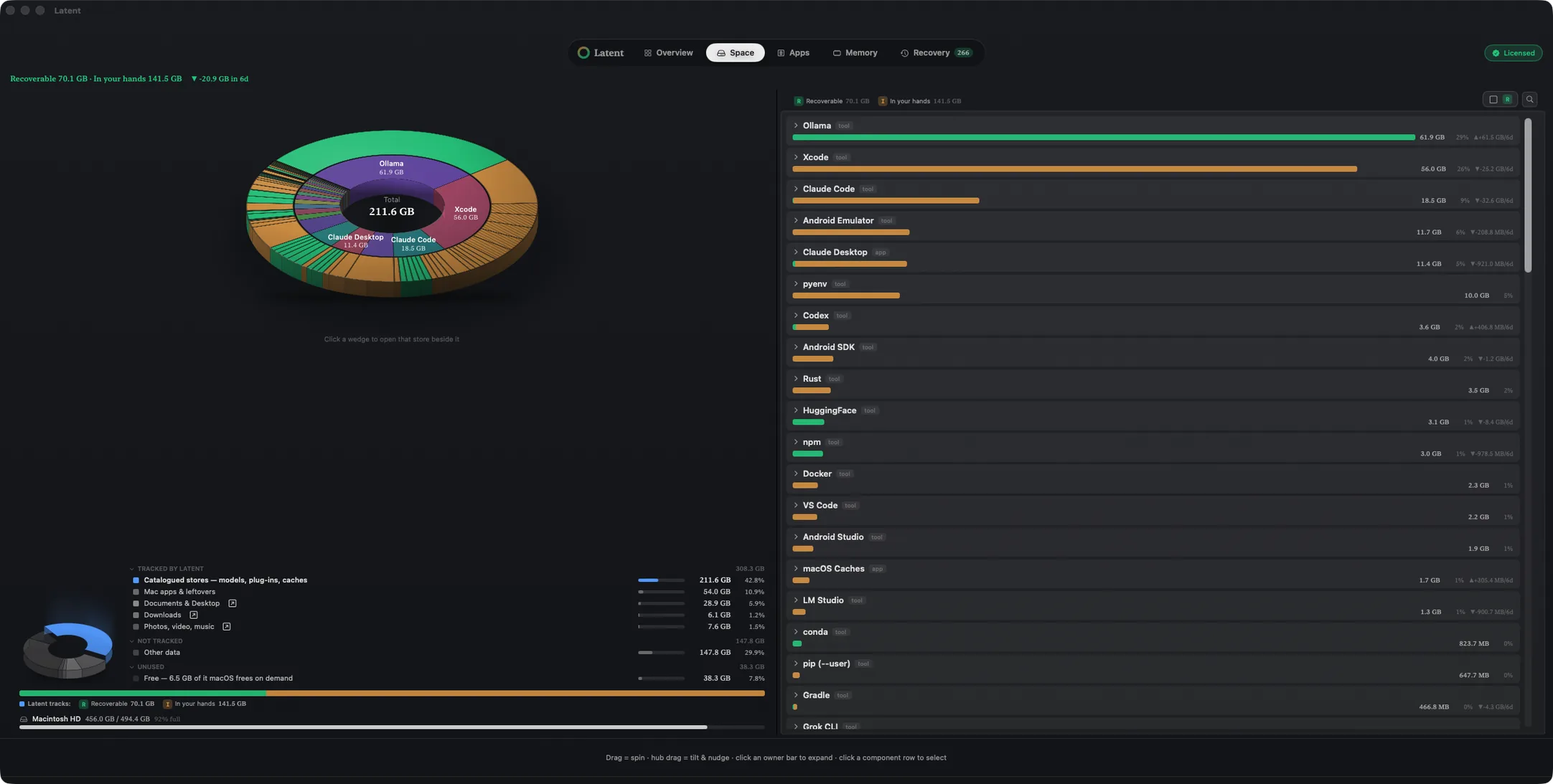
    The disk, sorted by tool

    Every store sits under the tool that made it, with its size and its mark.

  2. 02

    Clear

    One confirmation clears it

    Pick what to clear, confirm once, and it goes to the Trash.

  3. 03

    AI media

    Near-identical images and videos, grouped

    Keep the one you like and clear the rest.

The usual Mac cleaner work, too

Uninstall an app with every file it owns, including caches, preferences, containers and launch agents. Find what apps you already deleted left behind. Remove Homebrew, pip, npm, Conda and Docker items with each tool's own command. Memory pressure and swap have their own tab.

Works with your AI agent

The built-in MCP server lets Claude, Codex or Cursor read the scan and draft a cleanup. Ask it what is taking the most space and what can go. Nothing is deleted until you confirm.

Your files stay on your Mac

Read the privacy policy

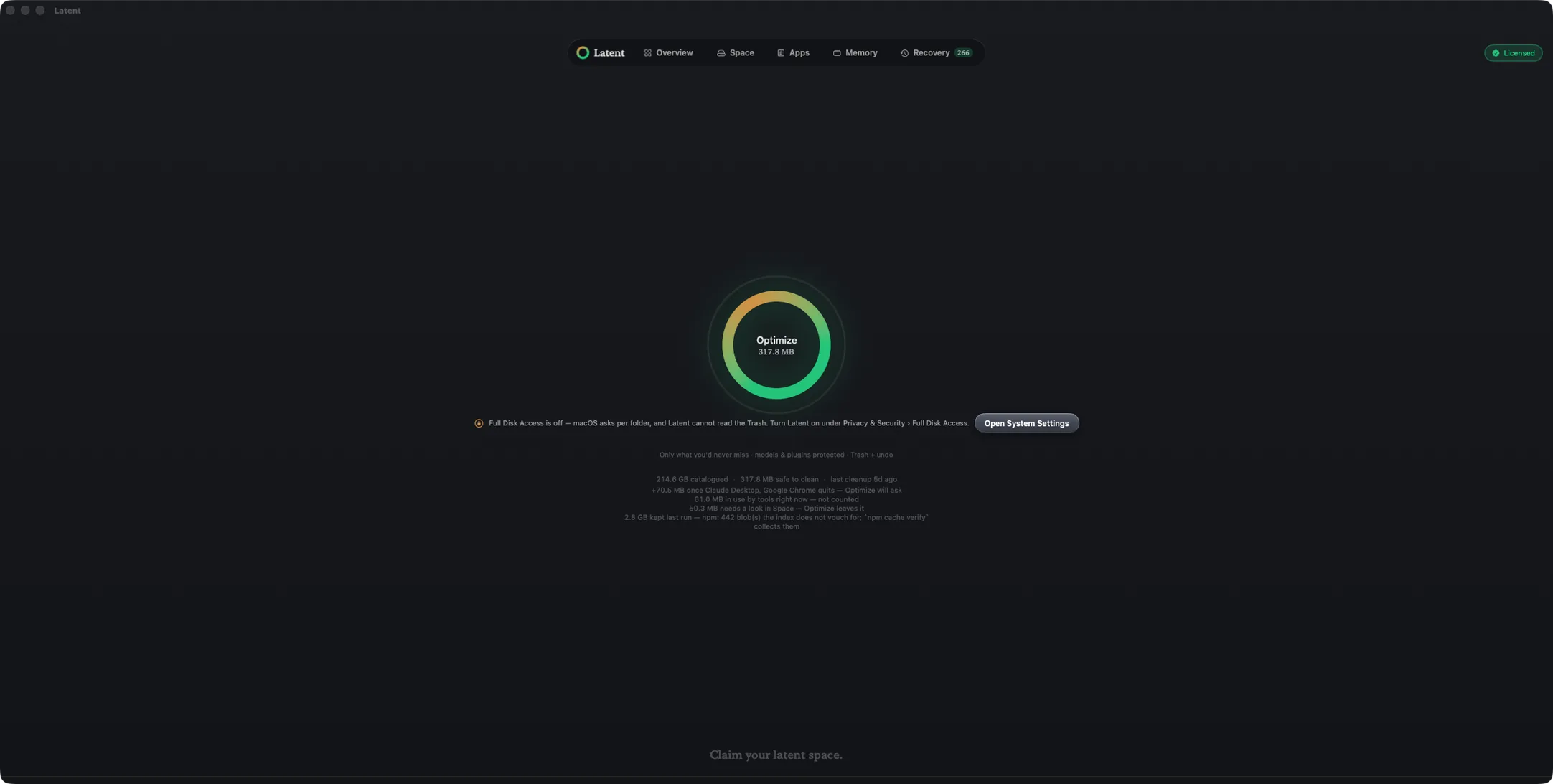
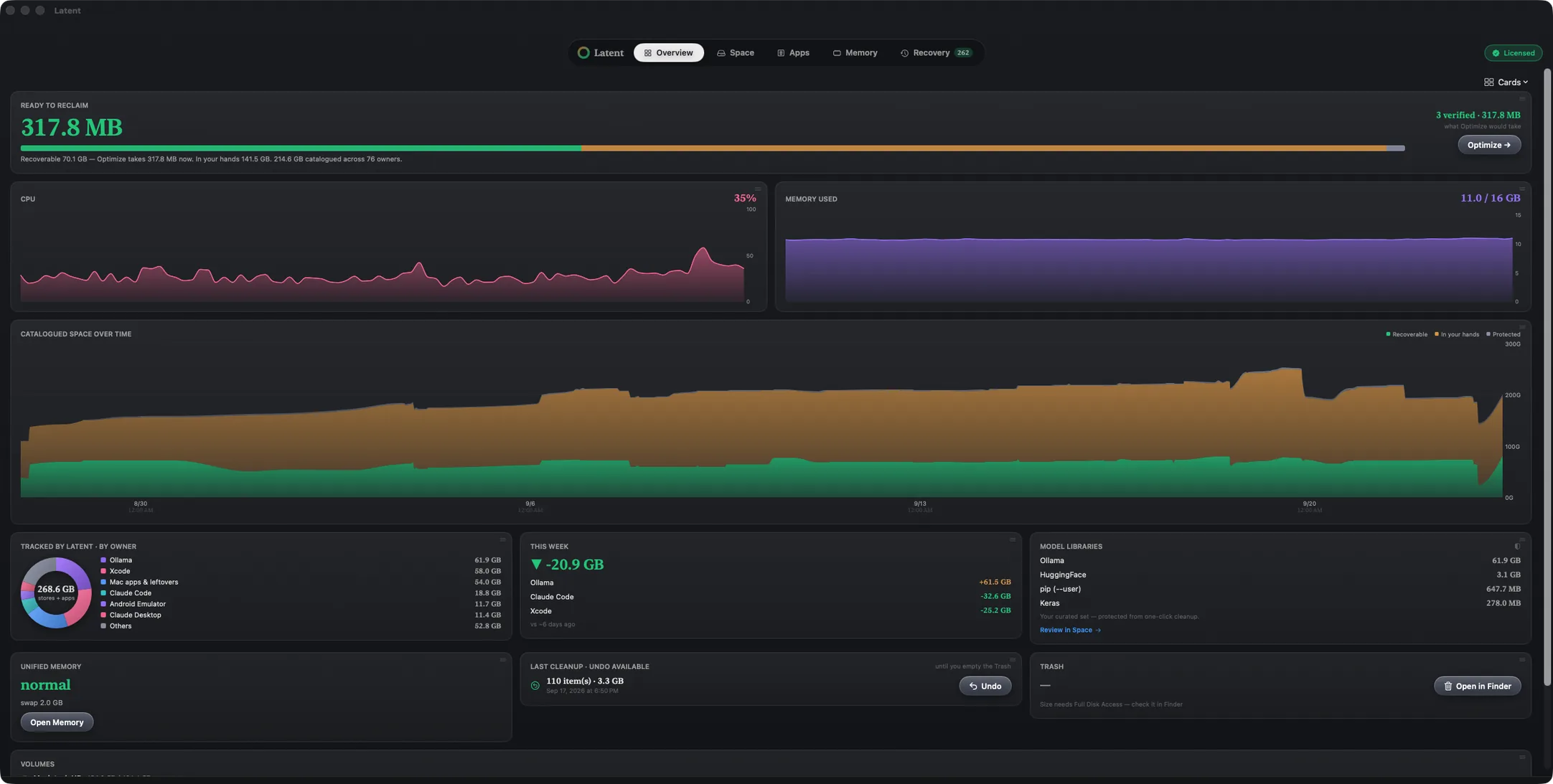
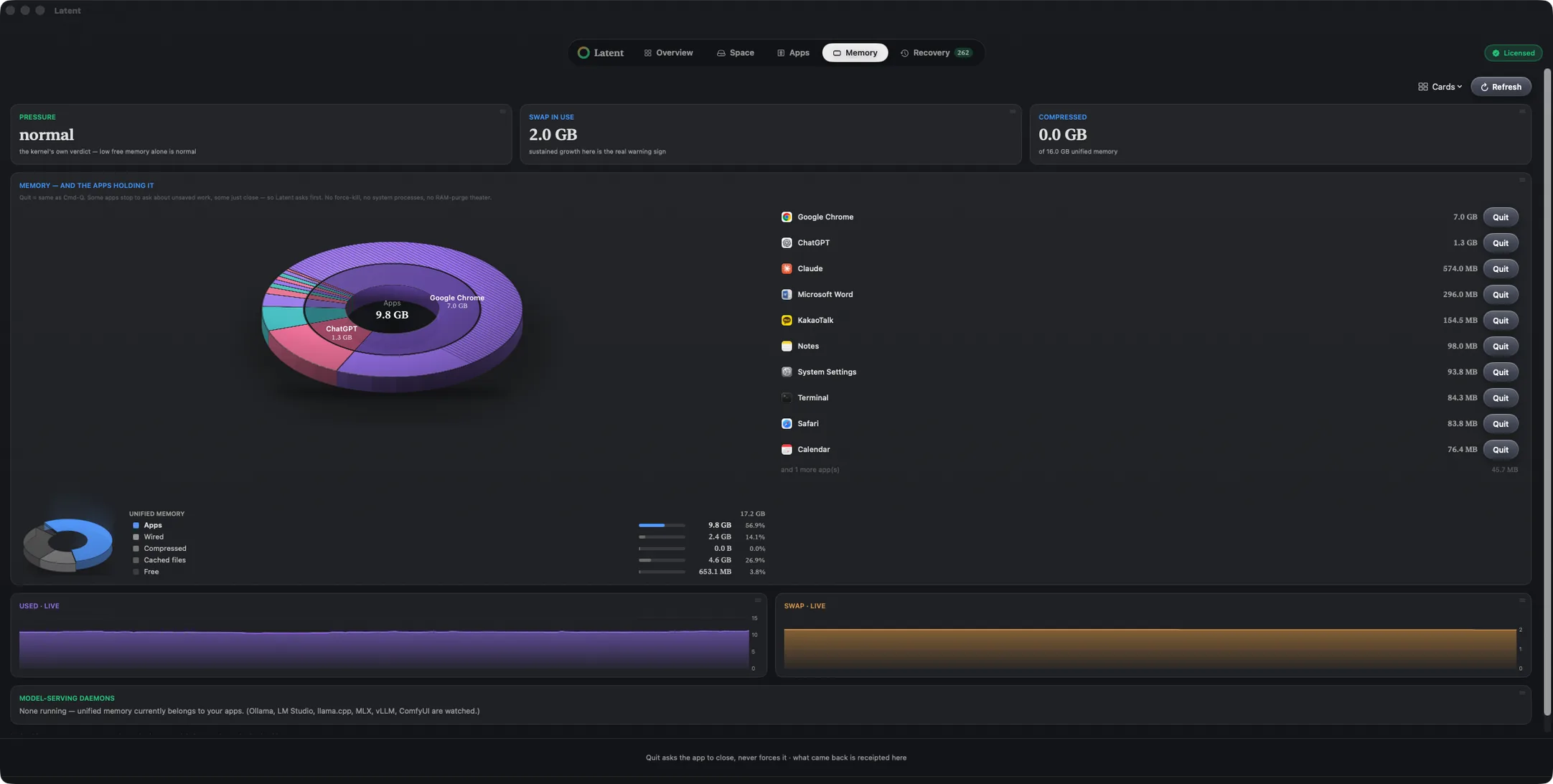
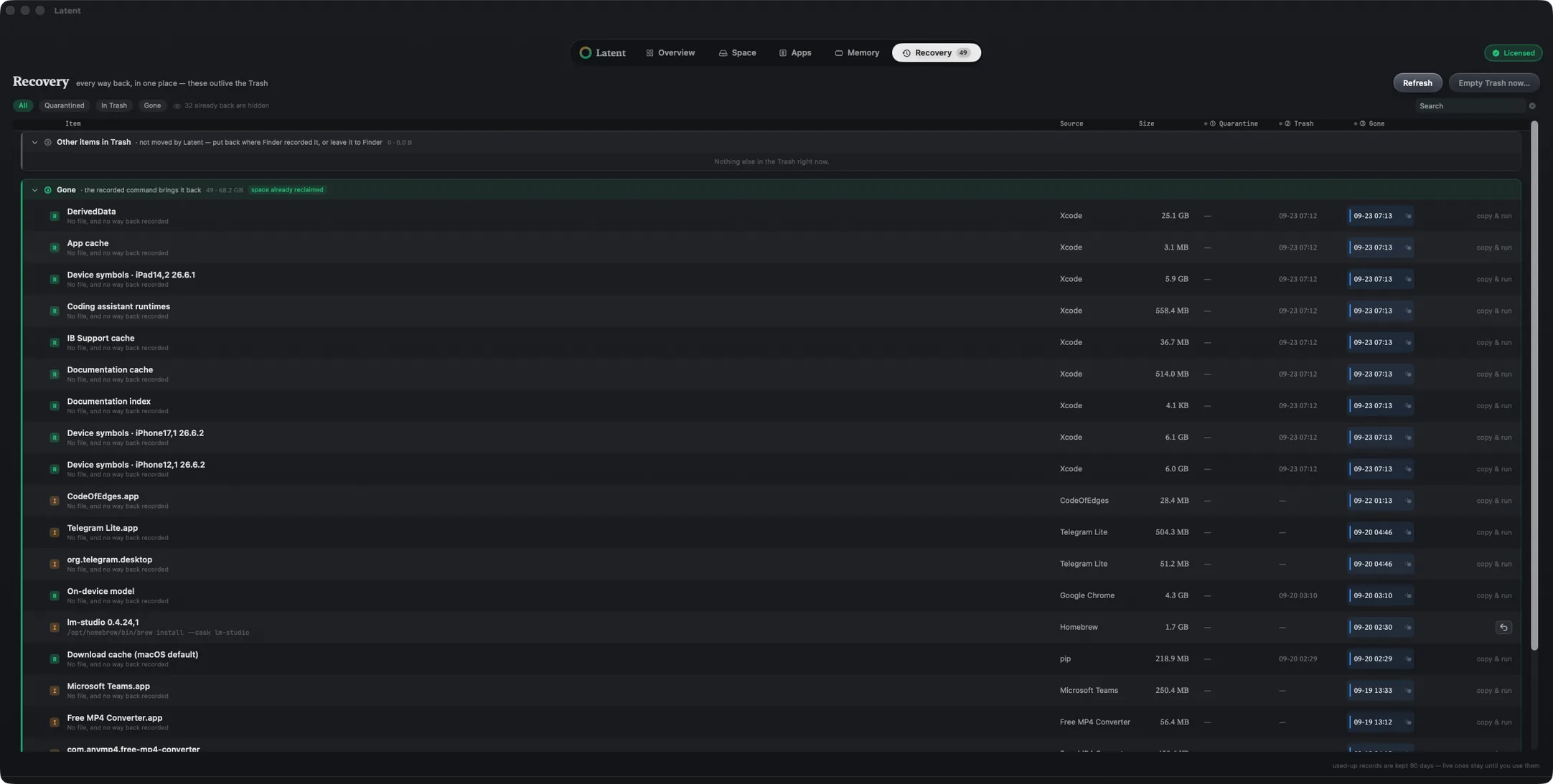
Space tab: the disk wheel and every store attributed to its owner Latent tab: the one-click Optimize ring Overview tab: reclaimable bytes, growth history and volume cards Apps tab: the uninstaller with every file an app owns Memory tab: honest pressure, swap and per-app memory Recovery tab: every removal recorded, and the way back
Space · disk usage by owner
Every tab shows what it found and the evidence behind it.